Import Registry
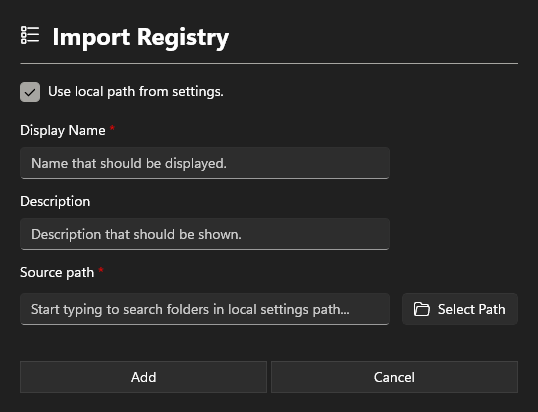
Information section
Display Name
Add a Display Name. This name will show in the App Configurations.
Description
The description is also displayed in the App Configurations and may contain information about the software.
Path section
Source path
Enter the path of the registry to be imported.
Settings section
Use local from settings
To use the local path for the import, select this option. This allows the system to search for a registry when specifying the path. All registry files in the local path will be considered.